OUR SERVICES

Tuesday, May 20, 2014


How OSPF protocal works?
Follow the link below to know about this Protocal. http://www.routeralley.com/ra/docs/eigrp.pdfhttp://www.routeralley.com/ra/docs/ospf.pdf
Thursday, May 15, 2014
WHAT IS A SHAREPOINT
Web definitions
- Microsoft SharePoint is a Web application platform developed by Microsoft. First launched in 2001, SharePoint has historically been associated with intranet, content management and document management, but recent versions have significantly broader capabilities. ...http://en.wikipedia.org/wiki/Sharepoint
NEW DISEASE READ THIS
MAY 2014
Dengue
is a viral infection spread by mosquitoes. It is widespread
in tropical and sub-tropical regions. In
the month of February 2014, the Dar es Salaam Public Health Officials
confirmed a new wave of dengue fever cropped up in the most parts of
Dar es Salaam and is still continuing.
The
first ever recorded fever in Dar es Salaam was recorded in 2010 and in
July last year. The Ministry reaffirmed that there were no confirmed death
in either two past breakouts.(Tambwe M., Daily Newspaper, 8.2.2014)
Although dengue symptoms, when mild, can seem
flulike, there is no vaccine or treatment for the infection other than
staying hydrated and taking acetaminophen to manage the pain, other
pain killers of the NSAID group like Ibuprofen & Diclofenac are
not recommended as they can increase bleeding due to low platelet
count (blood clotting cells). Those flulike symptoms also hamper public
health officials’ ability to track the disease, because official
surveillance of occurrences is based on medical reports and patients
may not seek care for what they assume is a bout of flu. An estimated
50 million to 100 million dengue infections occur worldwide yearly, and
severe forms of the disease can be fatal, especially among children.
Beyond dengue’s death toll, its impact is largely felt in economic
terms because sickened people cannot work or attend school.
Many
people, especially children and teens, may experience no signs or
symptoms during a mild case of dengue fever. When symptoms do occur,
they usually begin four to 10 days after the person is bitten by an
infected mosquito.
SYMPTOMS
The
principal symptoms of dengue fever are listed below. Generally, younger
children and those with their first dengue infection have a milder
illness than older children and adults.
·
High Fever, up to 41ºC
·
Severe Headaches
·
Muscle, bone and joint pain
·
Pain behind your eyes
Patient might also experience:
·
Widespread rash
·
Nausea and vomiting
·
Minor bleeding from your gums or nose
Most people recover within a week or
so. In some cases, however, symptoms worsen and can become
life-threatening. Blood vessels often become damaged and leaky, and the
number of clot-forming cells in your bloodstream falls. This can cause:
·
Bleeding from the nose and mouth
·
Severe abdominal pain
·
Persistent vomiting
·
Bleeding under the skin, which may look like bruising
·
Problems with your lungs, liver and heart
·
Red spots or patches on the skin
·
Black, tarry stools (faeces, excrement)
·
Drowsiness or irritability
·
Pale, cold, or clammy skin
· Difficulty breathing
PREVENTION
There is no vaccine for preventing dengue.
The best preventive measure for residents living in areas
infested with Ae. aegypti is
to eliminate the places where the mosquito lays her eggs, primarily
areas that hold standing
water to stop mosquitoes from multiplying
· Items that collect rainwater or to store water (for
example, garbage cans, house gutters, buckets, pool covers, coolers,
toys, flower pots, plastic containers, drums, buckets, any other
containers, pet's water bowls, or used automobile tires) should be
covered or properly discarded.
· Protect boats and vehicles from rain with traps that
don’t accumulate water.
· Maintain swimming pools in good condition and
appropriately chlorinated. Empty plastic swimming pools when not in
use.
· Clothing: Wear shoes, socks, and long pants and
long-sleeves. This type of protection may be necessary for people who must
work in areas where mosquitoes are present.
· Apply mosquito repellent containing DEET.
· Use mosquito netting to protect children younger than
2 months old.
· Cover doors and windows with screens to keep
mosquitoes out of your house
· Repair broken screening on windows, doors, porches,
and patios.
· Using air conditioning or window and door screens
reduces the risk of mosquitoes coming indoors.
· Proper application of mosquito repellents.
· Mosquito Control: Use screens on doors and windows; use patio
insecticides such as Permethrin (pesticide and repellent) and Allethrin
(candles and lanterns. Wear long sleeve shirts, long pants, socks and
closed shoes to avoid mosquito bites at dusk and dawn especially.
Use
repellents containing DEET (N, N-diethyl-m-toluamide) or Picaridin on
your clothing and exposed skin. Follow manufacturer’s instructions and
CDC recommendations. (www.cdc.gov)
TREATMENT
There is no specific medication for treatment of a dengue
infection. Persons who think they have dengue should use pain relievers
such as acetaminophen, other pain killers of the NSAID group like Ibuprofen
& Diclofenac are not recommended as they can increase bleeding
due to low platelet count (blood clotting cells). They should also
·
Rest,
·
Drink plenty of
fluids to prevent dehydration,
·
Avoid mosquito
bites while febrile and
·
Consult a
physician.
You should see your GP if you develop a fever or flu-like
symptoms within two weeks of returning from an area where the dengue
virus is common. If a clinical diagnosis is
made early, a health care provider can effectively treat you. Alternatively,
you can call +255 (22) 2114995/6/7 Ebrahim Haji Charitable
Health Care for advice and visit to test and confirm diagnosis
of Dengue fever.
Wednesday, May 14, 2014
GET WHATSAPP FOR YOUR PHONE

Friday, May 9, 2014
NOKIA CODES

Having trouble with your Nokia Phone? Nokia service technicians use the following codes to test their Nokia phones. Now you’ll be able to do the same thing. Please note: these universal test codes are to be used at your own risk.
Here they are! Enjoy.
- *3370# Activate Enhanced Full Rate Codec (EFR) - Your phone uses the best sound quality but talk time is reduced my approx. 5%
- #3370# Deactivate Enhanced Full Rate Codec (EFR) OR *3370# ( Favourite )
- *#4720# Activate Half Rate Codec - Your phone uses a lower quality sound but you should gain approx 30% more Talk Time
- *#4720# Deactivate Half Rate Codec
- *#0000# Displays your phones software version, 1st Line : Software Version, 2nd Line : Software Release Date, 3rd Line : Compression Type. ( Favourite )
- *#9999# Phones software version if *#0000# does not work
- *#06# For checking the International Mobile Equipment Identity (IMEI Number). ( Favourite )
- #pw+1234567890+1# Provider Lock Status. (use the “*” button to obtain the “p,w”and “+” symbols)
- #pw+1234567890+2# Network Lock Status. (use the “*” button to obtain the “p,w”and “+” symbols)
- #pw+1234567890+3# Country Lock Status. (use the “*” button to obtain the “p,w”and “+” symbols)
- #pw+1234567890+4# SIM Card Lock Status. (use the “*” button to obtain the “p,w”and “+” symbols)
- *#147# (vodafone) this lets you know who called you last
- *#1471# Last call (Only vodofone)
- *#21# Allows you to check the number that “All Calls” are diverted to
- *#2640# Displays security code in use
- *#30# Lets you see the private number
- *#43# Allows you to check the “Call Waiting” status of your phone
- *#61# Allows you to check the number that “On No Reply” calls are diverted to
- *#62# Allows you to check the number that “Divert If Unreachable (no service)” calls are diverted to
- *#67# Allows you to check the number that “On Busy Calls” are diverted to
- *#67705646# Removes operator logo on 3310 & 3330
- *#73# Reset phone timers and game scores
- *#746025625# Displays the SIM Clock status, if your phone supports this power saving feature “SIM Clock Stop Allowed”, it means you will get the best standby time possible
- *#7760# Manufactures code
- *#7780# Restore factory settings
- *#8110# Software version for the nokia 8110
- *#92702689# Displays - 1.Serial Number, 2.Date Made, 3.Purchase Date, 4.Date of last repair (0000 for no repairs), 5.Transfer User Data. To exit this mode you need to switch your phone off then on again. ( Favourite )
- *#94870345123456789# Deactivate the PWM-Mem
- **21*number# Turn on “All Calls” diverting to the phone number entered
- **61*number# Turn on “No Reply” diverting to the phone number entered
- **67*number# Turn on “On Busy” diverting to the phone number entered
- 12345 This is the default security code
- press and hold # Lets you switch between lines
- *#92702689#*3370# Warranty details
- #3370# Basically increases the quality of calling sound, but decreases battery length
- *#0000# Deactivates the above
- *#746025625#This shows if your phone will allow sim clock stoppage
- *4370#
- #4370# Half Rate Codec deactivation. It will automatically restart
- *#7780#
- *#3283# Date of Manufacturing
thegadgetlink.com/blog
READ MORE ON http://www.ebay.com/gds/FREE-NOKIA-TEST-CODES-/10000000004385986/g.html
Thursday, May 8, 2014
6 COMPUTER SECURITY TIPS WHICH YOU MUST KNOW
1) Use a firewall
A firewall is a software system that will handle outgoing and incoming Internet connections of your computer. You’ll be able to clearly use the one engineered into Windows by default, however this can be by no means the foremost Efficient. i will like to recommend Comodo Firewall which is free and straightforward to use. Using Firewall is just one of Computer Security tip that i want to mention2) Use antivirus
There are obvious reasons to use Anti virus Programs, but there are People that don’t have any antivirus or those who have, they have not upgraded thier antivirus since their permit has lapsed.. However there are quite powerful free antivirus Available. One must Install Antivirus to Protect and Keep thier Computer Secure3) Updating software system:
New vulnerabilities are found in software system or operative systems like Windows each day. So one must always updates thier software system. Keeping your installed Softwares upto date is Important, as it will Keep hackers away from breaking into your System and its Said that any upto date program Works smooth without any glitch.4) Use complicated passwords
Users like you and me use too weak passwords that are very simple to detect for hackers, there are so many software which will try all Possible Combinations to Crack your Password, this is known as Bruteforce technique . If your secret word(password) Consists of just 4 or 5 characters, it will easily discover it.Your Password becomes harder to crack if it consists of 8 or 9 characters which also includes numbers, letters and special characters.To check the strength of your Password, there are plenty tools over internet. This is an important Computer Security tip that everyone must Consider.
5) Use totally different passwords
Most common mistake people make is that they use same password everywhere over internet. Yes, its very hard to remember passwords for all accounts but its highly advisible to have different passwords for different accounts.This Practice Comes handy if one of your account gets Compromised/Hacked, then your other accounts are still safe.
6) Always Beware:
- Finally, Abstain from getting hacked, Always beware while Browsing Internet, don’t transfer and install everything and anything on your PC or Laptop.
- Always check the sources of software system and websites that you just use to download programs.
- Don’t be silly and amateur hackers won’t be able to do anything to you (while serious and skilled hackers will not have any interest to hack you)
Tuesday, May 6, 2014
Computer tips and tricks
General computer tips
1.Computer buying tips
2. Computer cleaning tips
3. Top 10 lists
4. Miscellaneous tips
5. Computer keyboard shortcuts
6. All computer tips
7. Computer questions and answers
2. Computer cleaning tips
3. Top 10 lists
4. Miscellaneous tips
5. Computer keyboard shortcuts
6. All computer tips
7. Computer questions and answers
Internet related tips
Chrome tips
Internet tips
Facebook tips
Firefox tips
Internet Explorer tips
Web design tips
E-mail tips
Internet tips
Facebook tips
Firefox tips
Internet Explorer tips
Web design tips
E-mail tips
Computer software tips
Linux and Unix tips
Microsoft Excel tips
Microsoft Outlook tips
Microsoft Windows tips
Microsoft Word tips
MS-DOS and command line tips
Other Software tips
Microsoft Excel tips
Microsoft Outlook tips
Microsoft Windows tips
Microsoft Word tips
MS-DOS and command line tips
Other Software tips
Computer hardware tips
COMPUTER TROUBLESHOOTING
Top 10 Computer Tricks Every Geek Should Know

Whitson Gordon
Profile
We've talked before about the things every computer user should know how to do,
but we geeks are special: we want to go above and beyond, to explore
every nook and cranny of our system and make everything easier. Here are
ten ways to do just that.

10. Find New Uses for the Programs You Already Have
Chances
are, you've probably already found a few awesome tools and added them to
your productivity arsenal, but most programs can be used for more than
just their inteded purpose. The file-syncing Dropbox, for example, is
also great for monitoring your home computer, printing files from afar, and even downloading stuff with BitTorrent. Savvy folks can use Gmail to store files in the cloud or find out if someone's stolen your laptop. Any tool can become multipurpose if you know its ins and outs.
9. Use the Command Line Like a Ninja
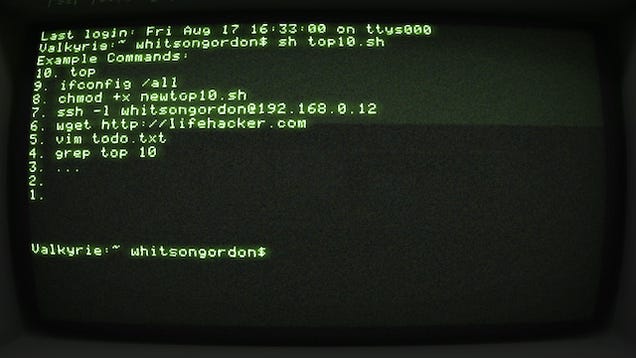
Using the command line isn't as exciting as it looks in the movies, but it can be a very useful tool (in fact, some tools are just better in the command line).
It's pretty easy to learn, too—check out our command line primer for
beginners to learn some basic commands. Once you've got that down, read
up on the best shortcuts that help you navigate the command line like a ninja. Those guides apply to UNIX-based systems like Linux and OS X, but if you're a Windows user you can grab something like Cygwin to get a similar experience (or, if you want a more Windows-centric tool, try Powershell).
8. Read and Understand Your Resource Usage
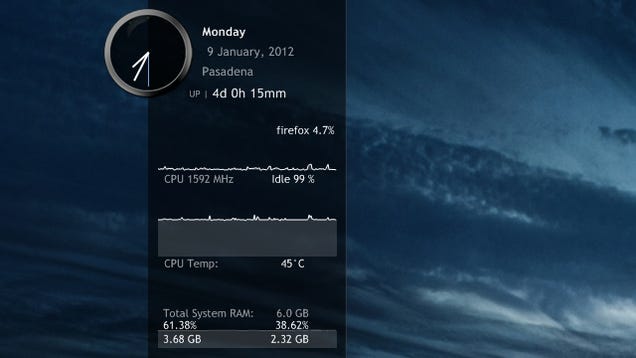
When your
computer starts acting a little slow, a lot of people jump to their
resource monitor to see what's causing problems. However, just looking
at a bunch of charts and graphs isn't going to tell you what's wrong
unless you really know what you're looking for. High CPU is a common
problem with one app slowing your system down, and as soon as you close
it, the issue should go away. High network activity could be the cause
of slow internet or slow file transfers over the network. RAM usage,
however, is where a lot of people get thrown off: high RAM usage isn't
inherently a bad thing. Know the difference between good and bad RAM usage before you start blaming processes. If you want to keep an eye on your resources, check out our favorite system monitors for Windows, Mac, and Linux, too.

7. Run Everything on a Schedule
Stop performing all that system maintenance yourself and set it all up to run on a schedule. With Windows' built-in Task Scheduler, you can run just about any kind of task—whether it's maintenance, picture uploads, or even a simple alarm—through Windows' built-in tools (in fact, it's one of the best Windows 7 features you've probably forgotten about). Mac users looking for something similar should check out Tasks Till Dawn.
 Expand
6. Know Your OS's Hidden Features
Every
operating system has hidden things lying under the hood, you just have
to know where to look. Windows users should check out the hidden features of Windows 7 and Windows 8, while Mac users should peruse the hidden features of OS X Lion and Mountain Lion. If you want to find even more, you can often find them in Windows' Registry or in OS X's terminal. System tweakers like Ultimate Windows Tweaker, OnyX for Mac, and Ubuntu Tweak are also great places to find secret features.
 Expand
5. Learn to Crack Passwords (and Protect Yourself)45
Everyone should know how to create a secure password, but responsible geeks can take it a step further by learning how to break into a comptuer. This skill—whether used on a Windows machine or a Mac—can
really help you understand how computer thieves and hackers will try to
get at your data. Learning the process means you know how to protect
yourself against the process—not just with strong passwords but with encryption and other settings tweaks that keep thieves out. Similarly, you may also want to learn how to crack a Wi-Fi network's WEP and WPA password.
 Expand
4. Navigate Everything With Your Keyboard
There are certain basic keyboard shortcuts everyone should know,
but if you really want to use your computer more efficiently, you can
take it so much further. Learn the most common shortcuts for your
favorite programs, like Gmail, Microsoft Word, basic text boxes, and even Facebook. After a little while, you'll be able to blow through menus and text boxes with unbelievable speed. Check out our guide to becoming a keyboard ninja, complete with a bunch of cheat sheets to help get you off the ground.
3. Run a Basic Linux Distribution
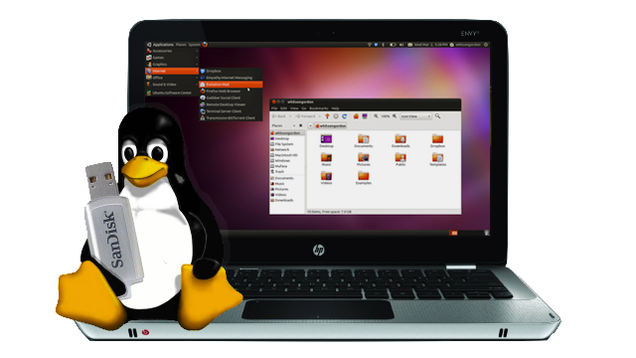
Even if you
don't want to switch operating systems, knowing a few Linux basics can
be really handy. With a live CD on hand you can troubleshoot your machine, revive an old, slow PC, and make your way through Linux-based DIY projects. Check out our five-part guide to getting started with Linux, and be careful—it can be quite the rabbit hole once you get into it!

2. Squeeze More Power Out of Your Hardware
With a bit
of tweaking, you can push your hardware past its original limits and get
some pretty serious bang for your buck. When it comes to your PC, you
can overclock your processor and video card, and even install OS X on non-Macs by building a Hackintosh. And, while you're at it—even though it isn't a computer trick specifically—you should try turning your $60 router into a $600 router with DD-WRT.

1. Program Your Own Dead Simple Scripts
You don't need to learn an entire programming language to write advanced scripts. Windows users can do a ton
of awesome stuff with AutoHotkey, from creating simple keyboard
shortcuts to controlling their PC remotely. To get started, just check
our beginner's guide to AutoHotkey and our list of the best AutoHotkey tricks. Mac users don't have anything quite like AutoHotkey, but you can do quite a bit with the built-in, insanely easy-to-learn AppleScript. If you aren't the coding type, check out Automator on the Mac and its clone, Actions on Windows
When all is
said and done, this is probably way more than 10 tricks, but if you
don't know any of the above, they should keep you busy for awhile. If
you have an idea we didn't list, be sure to
Subscribe to:
Posts (Atom)